

DCW Monthly: October 2026
This month’s content follows a standby LC past issuance and asks a practical question: once the instrument is out
This month’s content follows a standby LC past issuance and asks a practical question: once the instrument is out

Grappling with a high degree of concern over increasing fragmentation across the digital trade landscape, the ICC Digital Standards Initiative

Four draft opinions, two of which dealing with insurance documents and war risk exclusion wording, will be discussed in the

Quick tips and definitions to help you maximize your subscription.

This short guide is designed to give you the best experience possible with your DCW premium membership. From navigation tips to using eBooks, this overview will help ensure a seamless experience.
DCW’s homepage is the central hub for the latest content. At the top are featured items, with latest news along the top right.
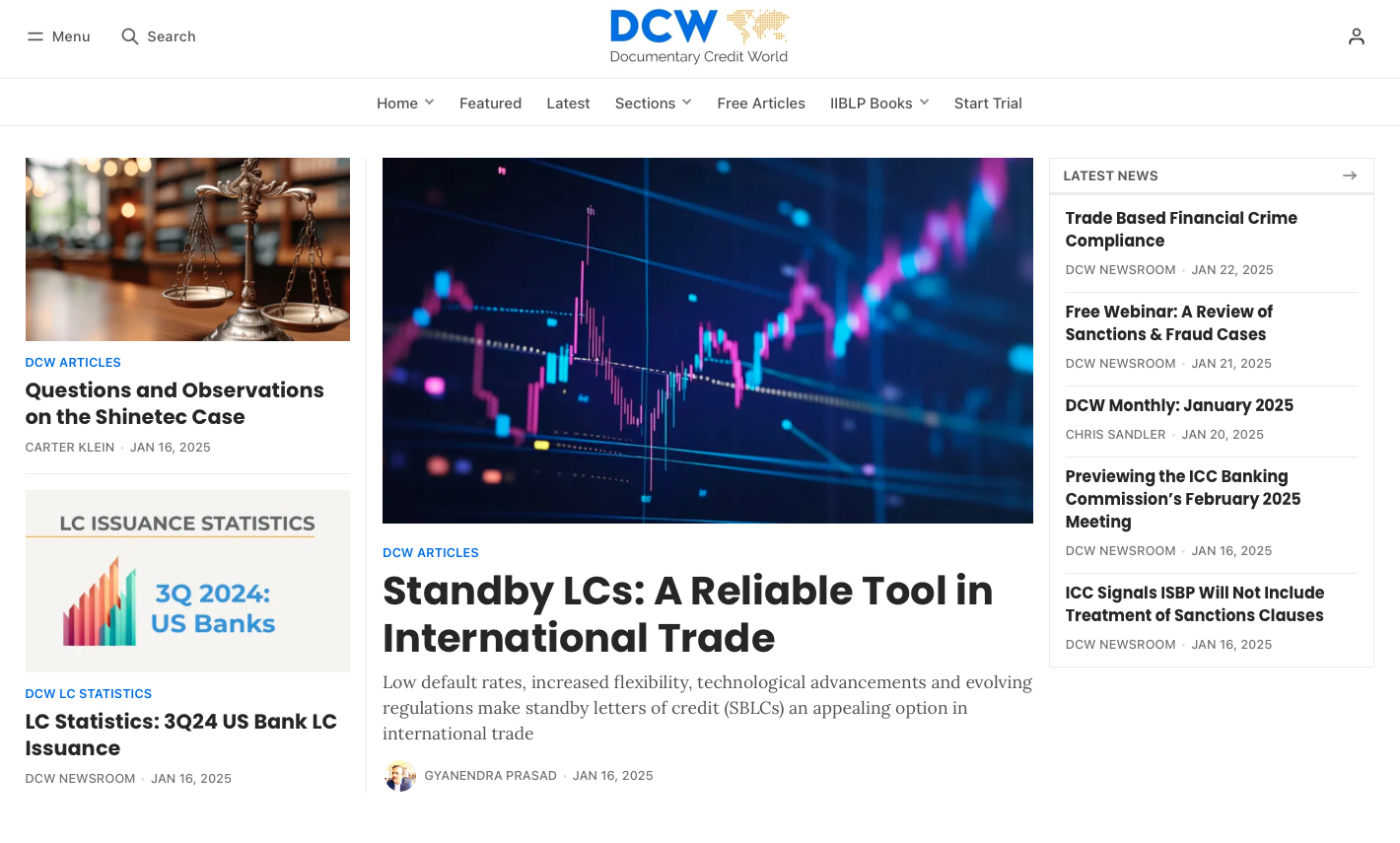
In the top navigation bar you'll find quick links to the latest news which shows all items ordered by date, as well as access to eBooks, featured items, and DCW content organized by section and topic.
Below the fold as you scroll down, you’ll find all of DCW’s Sections displaying the most recent, or featured items from each section.
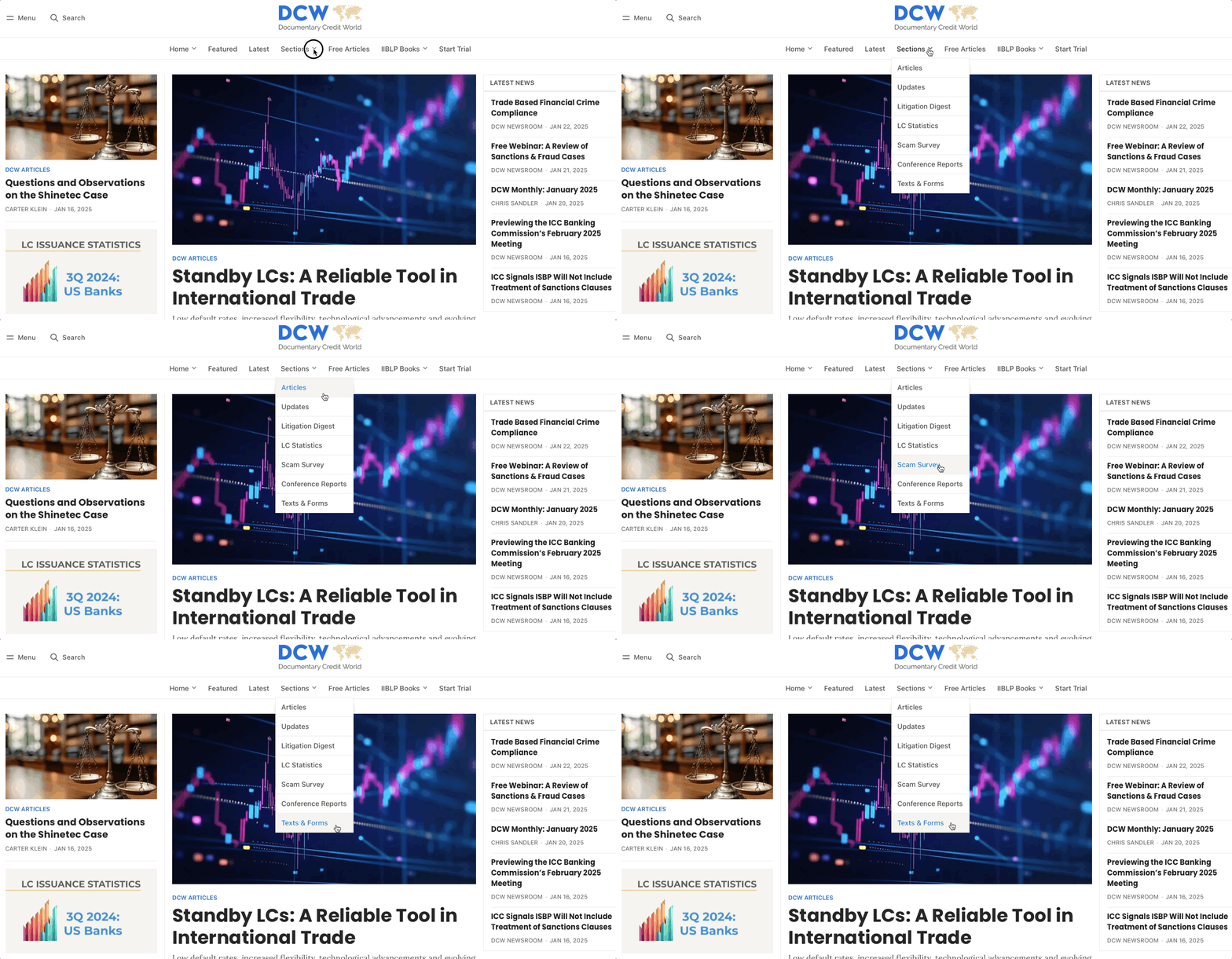
DCW uses Sections to categorize different types of content. The sections are: Articles, Updates, Litigation Digest (court cases), LC Statistics, Conference Reports, Scam Survey, and Texts & Forms.
These sections are visible on the home page (with the exception of Texts and Forms), and you can quickly navigate to all content in a given Section by hovering over the Sections tab at the top navigation.
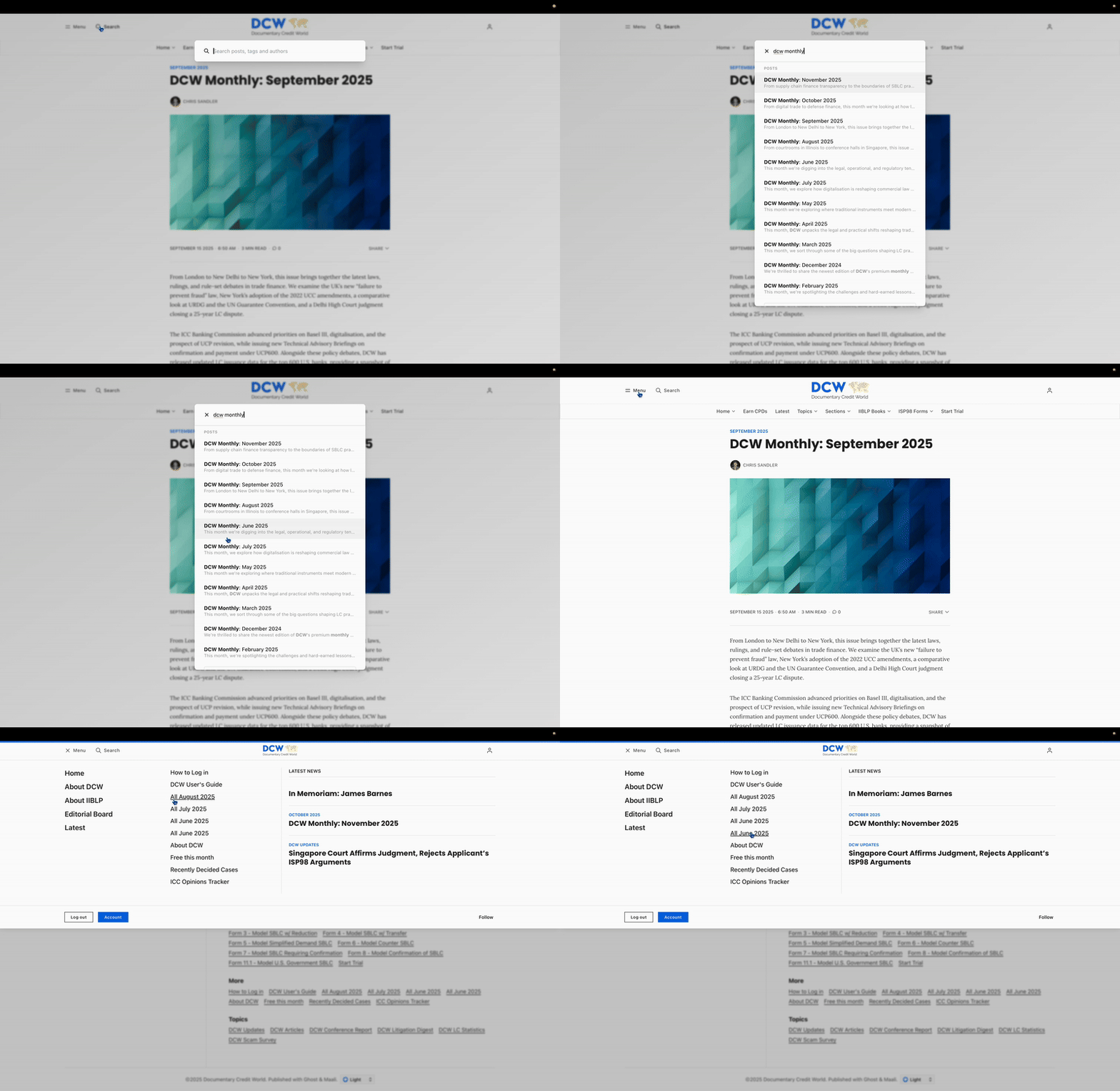
Want to see all of one month's content in one place? There are two easy ways to do this. The first is simply to search for DCW Monthly. You can also open the Menu and click on, for instance "All August 2025".
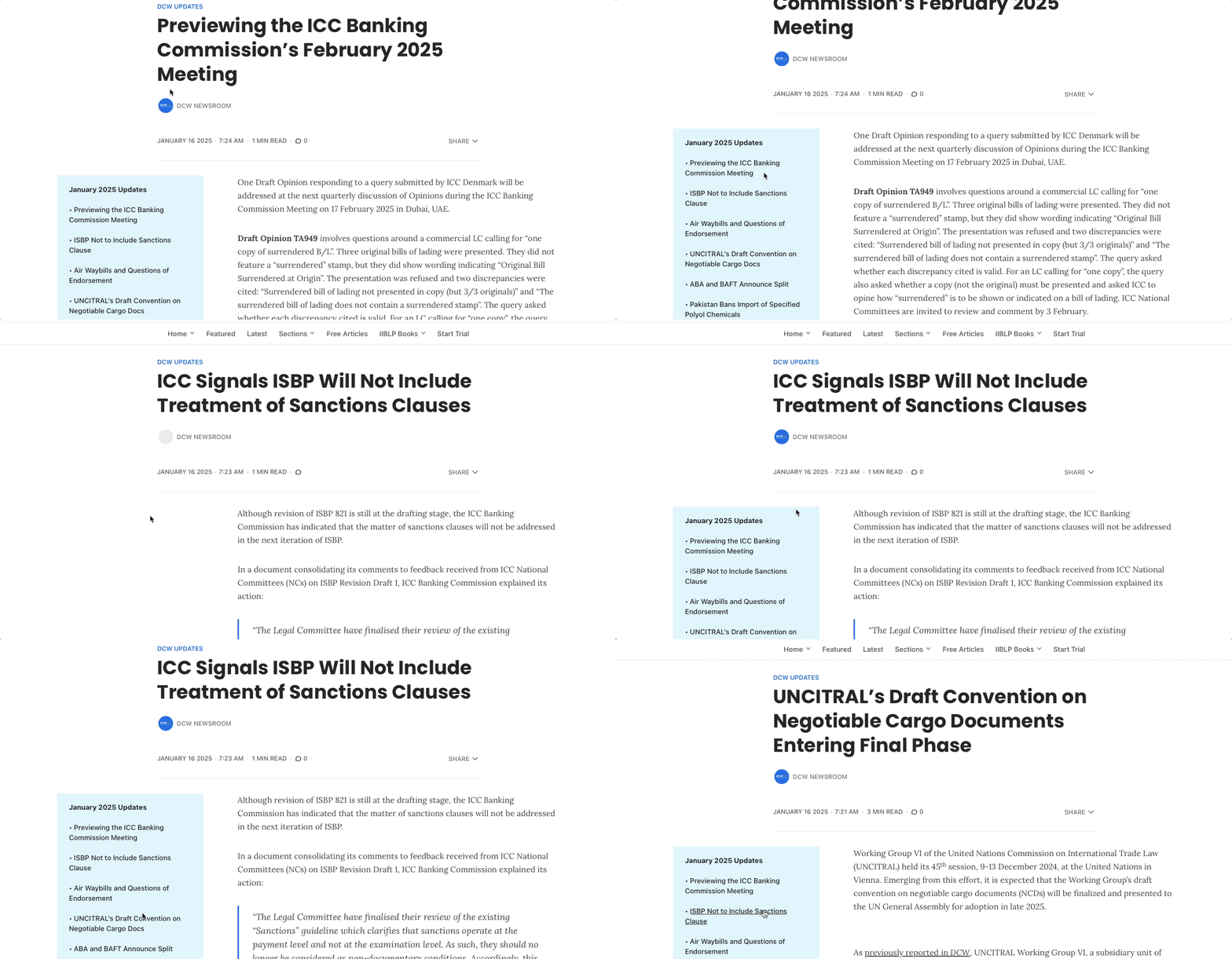
The Updates section features a dedicated navigation box for faster access to short-form news items. You can easily navigate to any update from each month via this box.
DCW subscribers have exclusive access to select IIBLP eBooks, directly available on the platform. Fully searchable, easy to navigate, and customizable with personal markups, these eBooks are designed to seamlessly integrate into your trade finance toolkit.
As part of your DCW membership, you’re eligible to receive 4 Continuing Professional Development (CPD) credits per year — one for each calendar quarter. You'll receive an email each quarter from DCW when the next certificate is available. Check here for the latest.
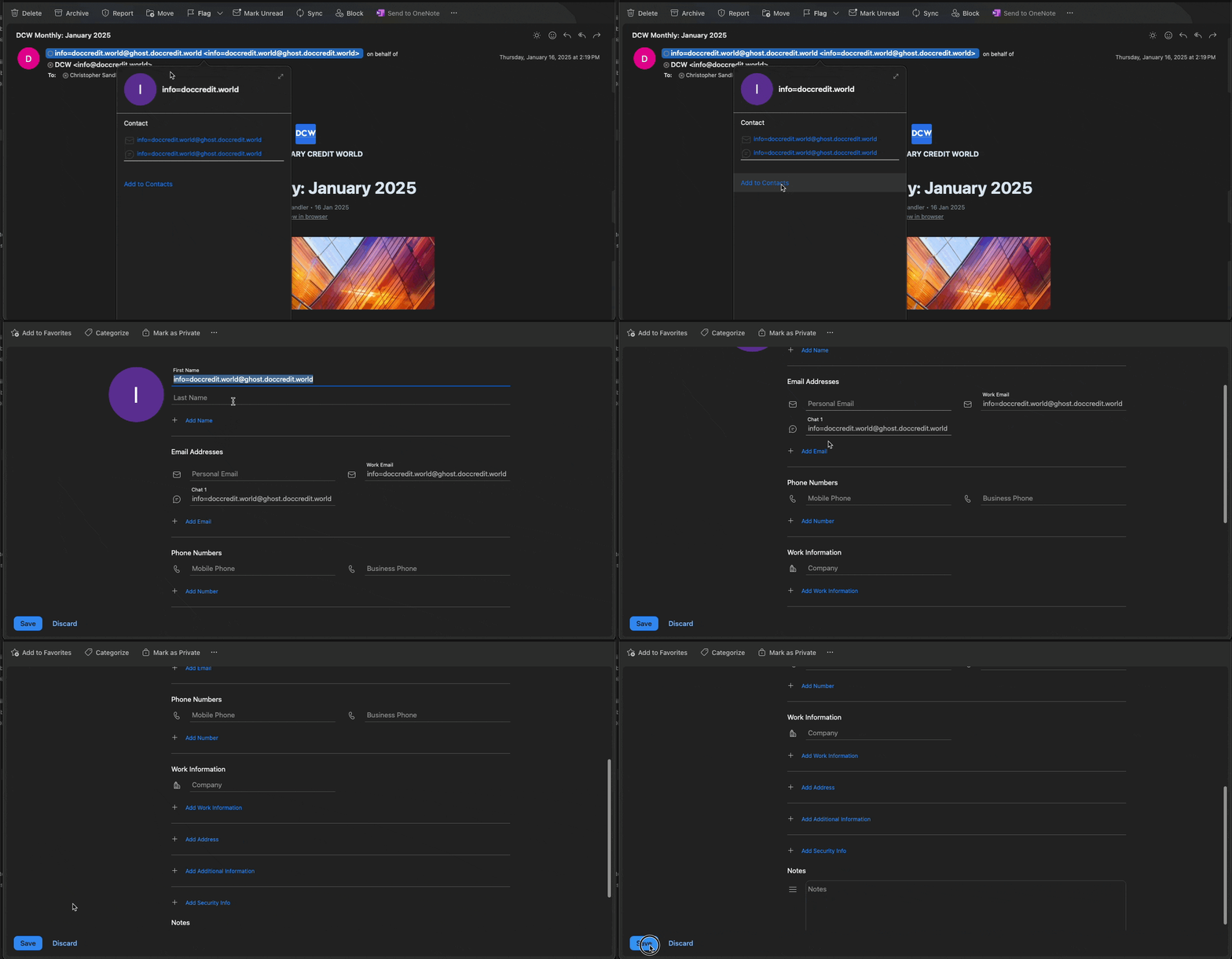
We regularly send emails to you to keep you up to date on the latest content, recent court cases, trending articles, new eBooks, and more. It’s a good idea to whitelist DCW as a sender to ensure these get delivered. In Outlook, you can do this by adding the DCW email to your contacts, shown below.
Note: depending on your email client, the sender may show as info=doccredit.world@ghost.doccredit.world in your Outlook or info@doccredit.world in other email clients. Both of these are correct, and can be safely added to your contacts or whitelisted.
If you’re having trouble seeing our emails, please contact your IT team for assistance.
If you or a team member are experiencing issues logging in, please visit this short help post: How to Login to DCW

Gain full access to analysis, cases, eBooks and more with a DCW Free Trial